

After updating my multilingual settings to comply with the latest Blowfish theme specifications, I pushed the changes to GitHub.
Since I had verified that everything ran perfectly on my local environment (hugo server) without any warnings, I naturally expected the deployment to succeed. However, the build failed on Cloudflare Pages with an exit code 1.
In this post, I will share the cause of this issue analyzed from the logs and the simplest way to fix it.
1. The Issue: Cloudflare Build Log Error#
Checking the deployment failure logs in the Cloudflare dashboard revealed the following error messages:
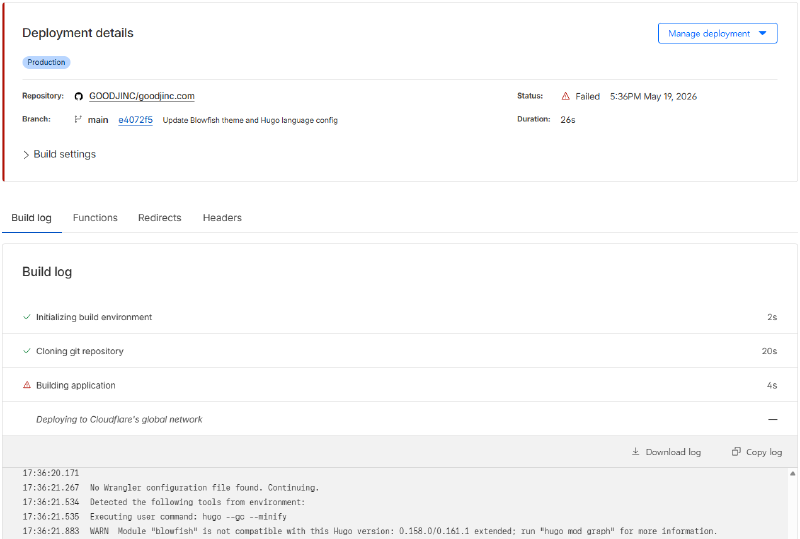
2026-05-20T08:23:35.40313Z     WARN  Module "blowfish" is not compatible with this Hugo version: 0.158.0/0.161.1 extended; run "hugo mod graph" for more information.
...
2026-05-20T08:23:35.558814Z    ERROR render of "/404" failed: ... can't evaluate field Locale in type *langs.Language
...
2026-05-20T08:23:35.564486Z    Failed: Error while executing user command. Exited with error code: 1
Analyzing the logs made the cause very clear:
Theme Requirements: The updated Blowfish theme internally requires
Hugo 0.158.0or0.161.1 or higher.Cloudflare’s Current Environment: The default build system in Cloudflare Pages was using Hugo version
v0.147.7.
While my local machine was running the latest Hugo version and encountered no problems, the Cloudflare server’s Hugo engine was too outdated to interpret the structure of the newer theme (such as .Site.Language.Locale), causing the build to crash.
2. Solution: Specifying the HUGO_VERSION Environment Variable#
You can easily resolve this problem by setting an Variable that instructs Cloudflare Pages to use the latest version of Hugo when executing the build.
① Navigate to Cloudflare Project Settings#
Log in to the Cloudflare Dashboard and select your blog project. Click on the Settings tab in the top menu, then click Variables and Secrets in the left sidebar.
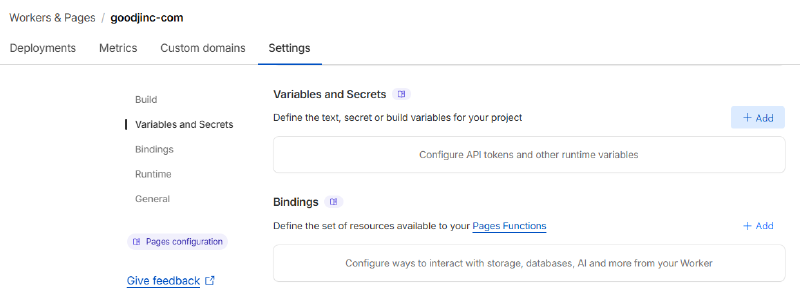
② Add Variable#
In the Variables and secrets section, click the Add button and input the following:
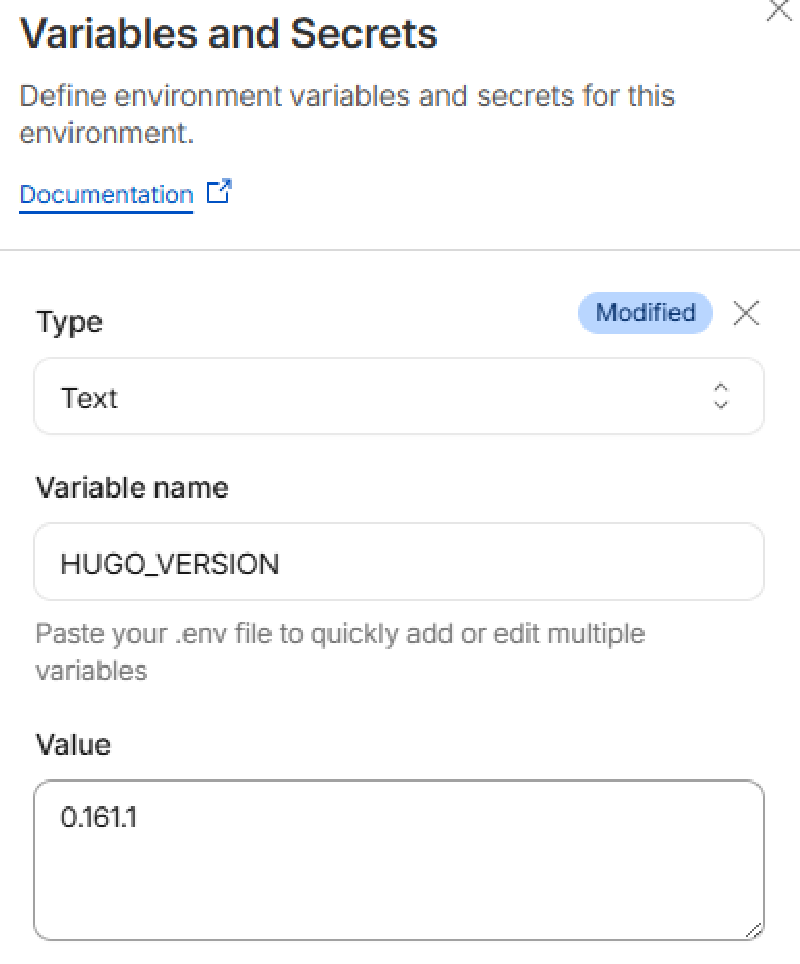
Variable name:
HUGO_VERSIONValue:
0.161.1(A stable Hugo version required by the theme)
Once entered, click the Save button at the bottom to apply the settings.
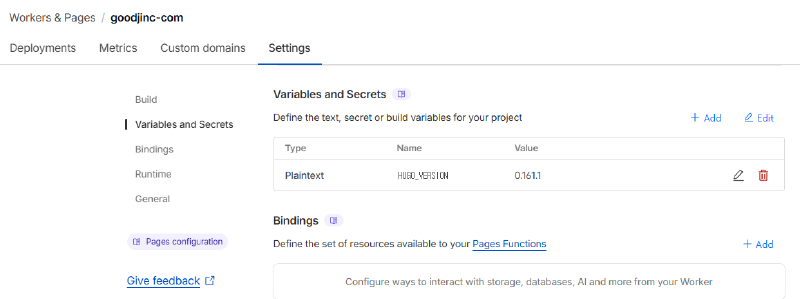
③ Verify the Configured Variable#
You should see the added variable successfully applied, as shown below.
Since the changes only apply to subsequent deployments, you will need to trigger a redeployment.
3. Triggering Redeployment#
After saving the settings, go to the Deployments tab of the dashboard and click Retry deployment, or push an empty commit to GitHub to trigger the build process again.
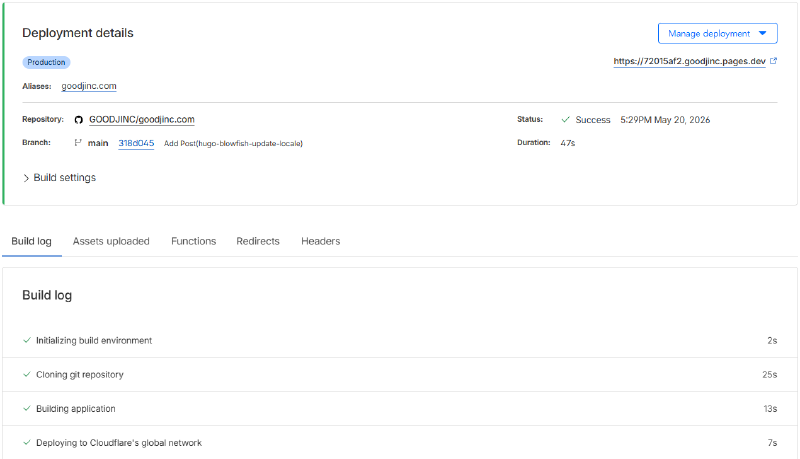
Unlike before, the specified newer version of the Hugo engine will run, generating the static files without any errors and successfully completing the deployment.
Conclusion#
When deploying to environments like GitHub Pages or Cloudflare Pages, build failures due to mismatches between local and server engine versions are quite common.
Particularly when upgrading rapidly evolving themes like Blowfish, it is a good habit to check the minimum Hugo version required by the theme and synchronize it with your Cloudflare environment variables.
I hope this guide helps anyone who was frustrated by this deployment failure, as I was.