

It has been quite a while since I last updated Blowfish, the static theme for my Hugo blog.
I recently upgraded it from version v2.97.0 to v2.103.0.
Right after the update, however, running the local server triggered a massive wall of new warning messages in the terminal that I hadn’t seen before.
I am writing this post to share my experience and how I fixed it.
1. The Issue: Deprecation Warning#
After updating the theme, I ran the hugo server command in the terminal to check everything locally, and the following warning (WARN) message popped up:
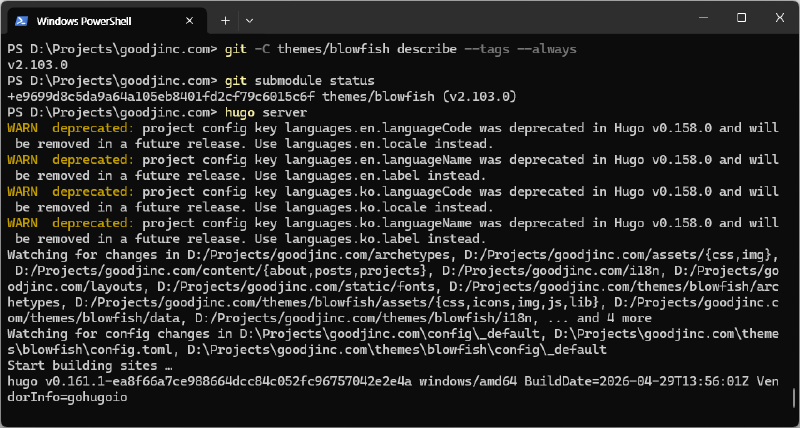
WARN deprecated: project config key languages.en.languageCode was deprecated in Hugo v0.158.0 and will be removed in a future release. Use languages.en.locale instead.After digging into the cause, I found out that the minimum required version of Hugo for the latest Blowfish theme has been bumped up to v0.158.0.
Starting from Hugo v0.158.0, the languageCode attribute used in multi-language configurations has been deprecated and is scheduled for complete removal in a future release. The documentation explicitly advises replacing it with the locale attribute.
While it doesn’t break the blog build or ongoing operations immediately, ignoring it could completely break multilingual routing when upgrading Hugo further down the line. So, I decided to proactively address and fix the configuration schema.
2. Locating the Configuration Files#
To resolve this warning, you need to modify the multi-language configuration files located within your blog’s root directory. In a standard Blowfish theme setup, these files are found in the following paths:
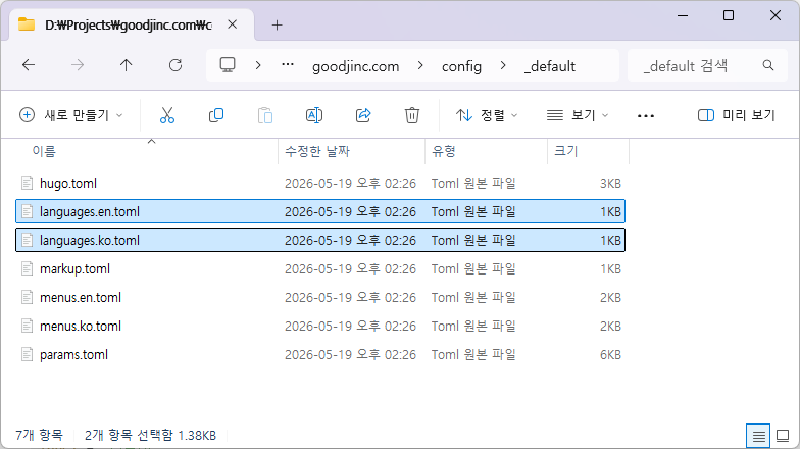
Korean Configuration:
\config\_default\languages.ko.tomlEnglish Configuration:
\config\_default\languages.en.toml
If your blog supports additional languages, you will need to update those respective TOML files in the exact same manner.
3. Updating the Code with VS Code#
The migration process is incredibly straightforward. Simply open the configuration files with your preferred code editor (such as VS Code) and update the keys to match the latest schema.
① Before (Deprecated Schema)#
The legacy files are structured using languageCode and languageName as shown below:
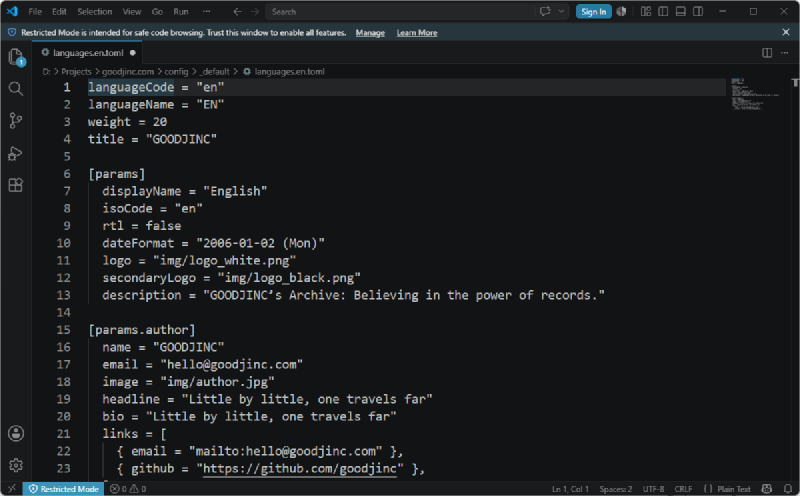
# config/_default/languages.en.toml
[en]
  languageCode = "en-us"
  languageName = "English"
  weight = 2
② After (New Schema)#
Following the Hugo v0.158.0 guidelines and the Blowfish main documentation, you should update the property keys. Simply replace languageCode with locale, and languageName with label.
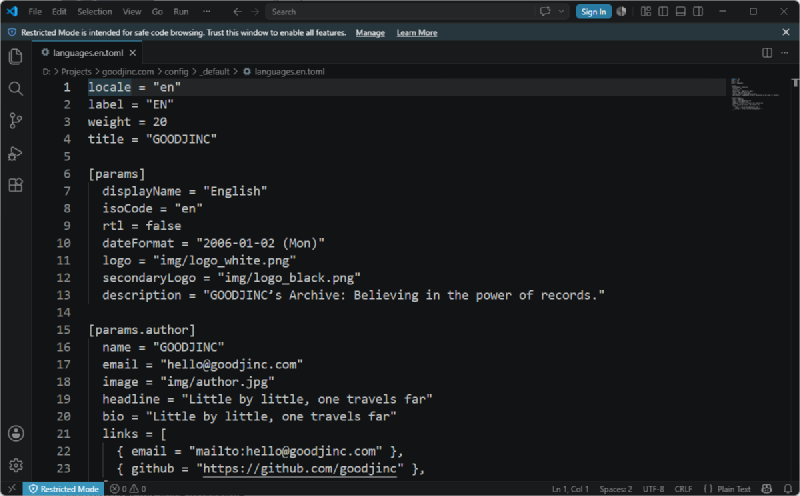
# config/_default/languages.en.toml
[en]
  locale = "en-us"
  label = "English"
  weight = 2
4. Verifying the Changes#
After saving the files, open up your terminal again and restart the local development server:
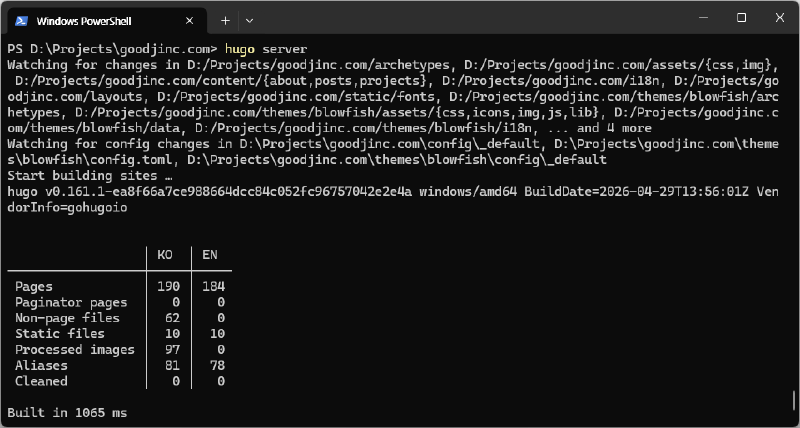
hugo serverThe cluttered WARN deprecated messages that flooded the console are now completely gone, and the server initializes with a perfectly clean build.
Wrapping Up#
Static site generators like Hugo and feature-rich themes like Blowfish frequently introduce configuration schema changes during major updates.
Rather than leaving deprecation notices unaddressed, keeping up with the official specifications early on ensures a smoother, long-term maintenance cycle for your blog.
I will leave the reference links I used to solve this issue below. Happy blogging!
Blowfish Official Discussion: Blowfish Discussion
Hugo Official Guide: Hugo Language Configuration